
LHDN Introduces Additional Taxpayer Validation
The Inland Revenue Board of Malaysia (LHDN/HASiL) has announced an important enhancement to the Validate Taxpayer’s TIN API used by the MyInvois e-Invoice platform.
Effective 1 August 2026, the API will validate not only the Tax Identification Number (TIN) but also the Business Registration Number (BRN) associated with the taxpayer.
This enhancement is designed to improve data accuracy and ensure that taxpayer information submitted through the MyInvois platform matches the official records maintained by LHDN.
What Has Changed?
Previously, businesses primarily relied on validating the customer’s Tax Identification Number (TIN).
Beginning 1 August 2026, the validation process will verify the relationship between:
- Tax Identification Number (TIN)
- Business Registration Number (BRN)
The submitted information must match the records maintained by LHDN. If the TIN and BRN do not correspond to the same taxpayer record, the validation request may fail.
Why Is This Important?
Many organizations maintain customer information that has accumulated over several years. During this period, some companies may have:
- Updated their company registration details.
- Changed their legal business information.
- Recorded incorrect or incomplete Business Registration Numbers.
- Used outdated customer master records.
With the new validation requirement, inaccurate customer information may lead to validation failures before an e-Invoice is issued.
Maintaining accurate customer master data is therefore becoming increasingly important for uninterrupted e-Invoice operations.
What Should Businesses Do?
We recommend that all businesses begin reviewing their customer master records before the enforcement date.
Review Your Customer Master Data
Ensure every customer record contains:
- Correct Tax Identification Number (TIN)
- Correct Business Registration Number (BRN)
- Latest legal entity information
- Accurate company registration details
Request Updated Information from Customers
If you are uncertain whether your customer’s BRN is still current, request confirmation from them and encourage them to update their records with LHDN if necessary.
Keep Master Data Up to Date
Good master data governance reduces the likelihood of validation errors and improves the overall reliability of your e-Invoice process.
Impact on Microsoft Dynamics 365 Business Central
For organizations using Nebula Malaysia e-Invoice Solution for Microsoft Dynamics 365 Business Central, our solution will support the latest LHDN validation requirements.
However, system functionality alone cannot correct inaccurate customer master data.
Customers are encouraged to review and maintain their Business Central customer records to ensure successful taxpayer validation when interacting with the MyInvois platform.
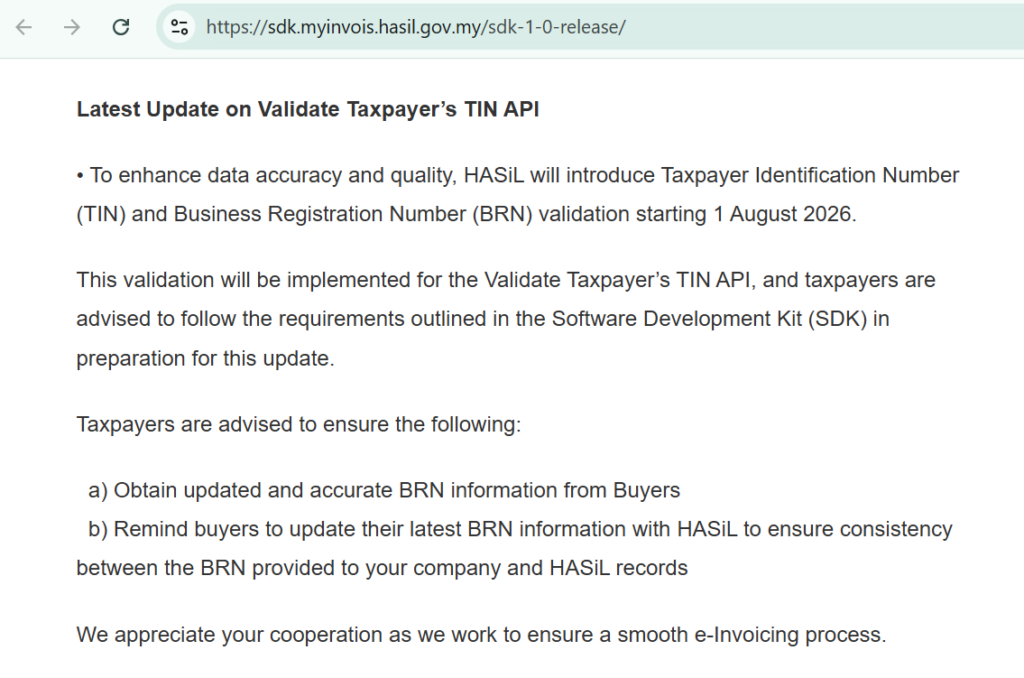
Official Announcement from LHDN
According to the latest release published by LHDN:
Effective 1 August 2026, the Validate Taxpayer’s TIN API will validate the relationship between the taxpayer’s TIN and Business Registration Number (BRN). Taxpayers should ensure the BRN provided matches the information registered with LHDN.
How Nebula ERP Solution Can Help
Our consultants can assist your organization by:
- Reviewing existing customer master records.
- Verifying Business Central e-Invoice configuration.
- Advising on customer data quality improvements.
- Ensuring your Microsoft Dynamics 365 Business Central environment is aligned with the latest LHDN requirements.
Final Thoughts
As Malaysia’s e-Invoice ecosystem continues to evolve, maintaining accurate master data is just as important as system compliance.
By reviewing your customer information before 1 August 2026, your organization can minimize validation failures, reduce operational disruptions, and ensure a smoother e-Invoice submission process.
If you have any questions regarding this update or require assistance with your Business Central e-Invoice solution, please feel free to contact the Nebula ERP Solution team.