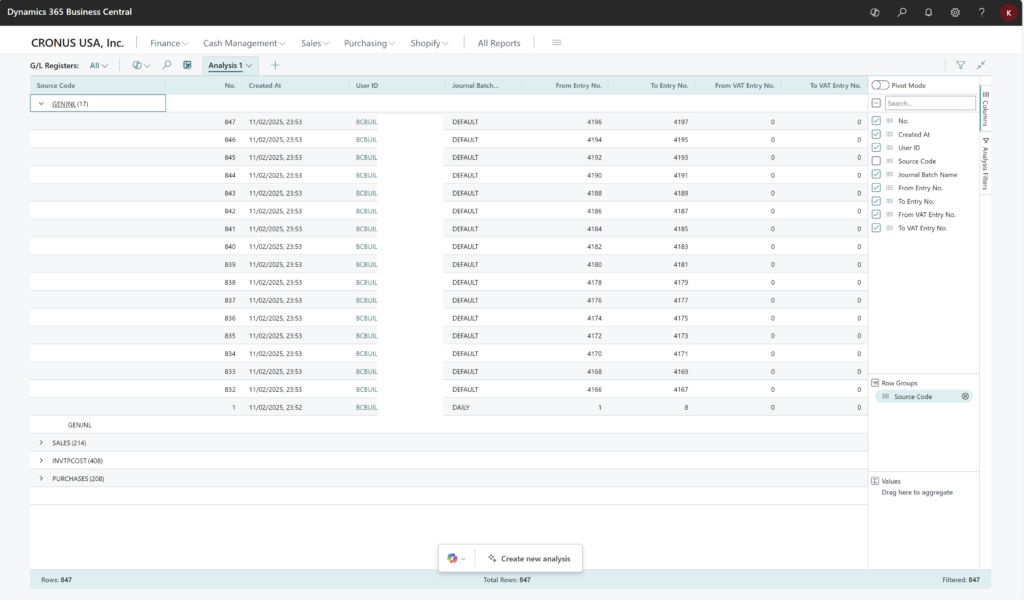
Analyzing the G/L register
You can use the G/L Registers page for financial reporting and transaction tracking. The page gives you an overview of all transactions to the general ledger with the ability to navigate to related entries in subledgers, such as VAT entries or Customer Ledger Entries. You can also see which type of transaction that occured, the user who did the transaction and when it was recorded in the database.
The G/L Registers page is particularly useful during audits, as it provides auditors with easy access to related detailed transaction information. It helps identify any discrepancies, errors, or unusual entries that may require further investigation.
Example: use analysis mode to get an overview of G/L transaction types and volume
To get an overview of the types of transactions that happened to your general ledger and the types of sources for them, do as follows:
- Open the G/L Registers list and choose
 to turn on analysis mode.
 - Go to the Columns menu and remove all columns (select the box next to the Search field on the right).
- Drag the Source code field to the Row Groups area.
- Rename your analysis tab to GL entries by source, or something that describes this analysis.
 to turn on analysis mode.