Business value
This capability helps you maintain accurate posting restrictions because posting windows adjust automatically based on today’s date. Automatic adjustments reduce maintenance effort and help prevent posting errors caused by outdated restriction settings.
Feature details
You can now use date formulas to control the range of allowed posting dates in General Ledger Setup, User Setup, and General Journal Templates. Instead of entering fixed dates that you must update manually every period, you enter a date formula and Business Central calculates the allowed posting window based on today’s date.
Where you use date formulas
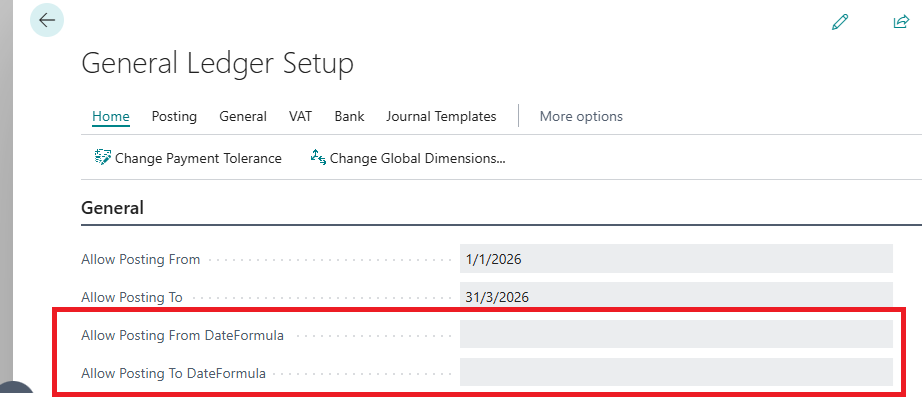
The new Allow Posting From Date Formula and Allow Posting To Date Formula fields are available on:
- General Ledger Setup (Though you might need to choose Show more to view them.)
- User Setup
- General Journal Templates
How posting date formulas work
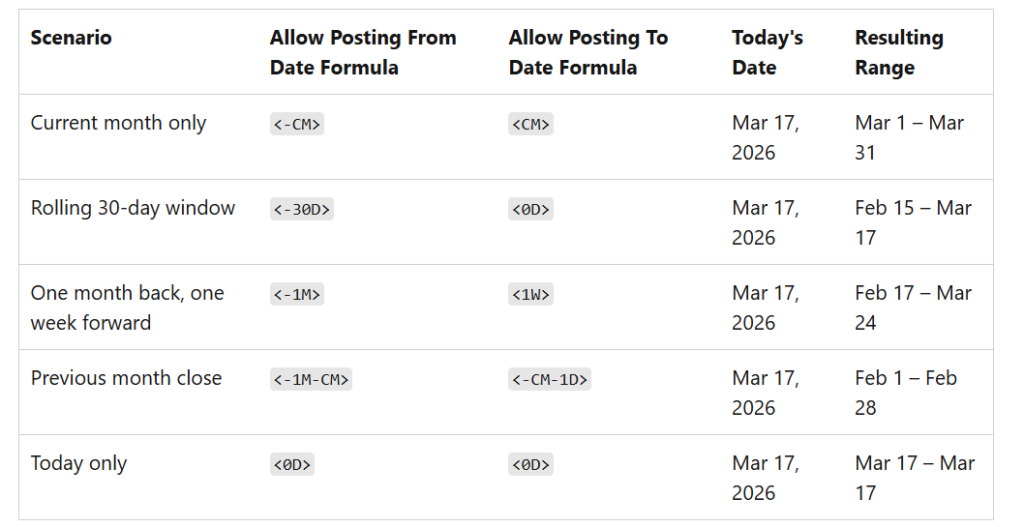
Business Central evaluates your date formula against today’s date each time a posting date is validated. The table below illustrates various usage examples: